
Tivimate Firestick Setup 2026 – Easy Install Guide
Setting up Tivimate Firestick is one of the best ways to enjoy a smooth and high-quality IPTV streaming experience. Tivimate is a powerful IPTV player designed to give users full control over their channels, playlists, and viewing experience.
In this guide, you will learn how to install and configure Tivimate Firestick step by step, even if you are a beginner.
What Is Tivimate Firestick?
Tivimate Firestick refers to using the Tivimate IPTV player on your Amazon Fire TV Stick. This app allows you to load IPTV playlists and stream live TV, movies, and sports using your subscription.
Unlike basic IPTV players, Tivimate offers a modern interface and advanced features that improve navigation and playback quality.
How to Install Tivimate on Firestick
To install Tivimate Firestick, follow these simple steps:
If you haven’t installed Downloader yet, follow our Firestick IPTV setup guide to prepare your device.
1.Open Downloader and select the URL bar
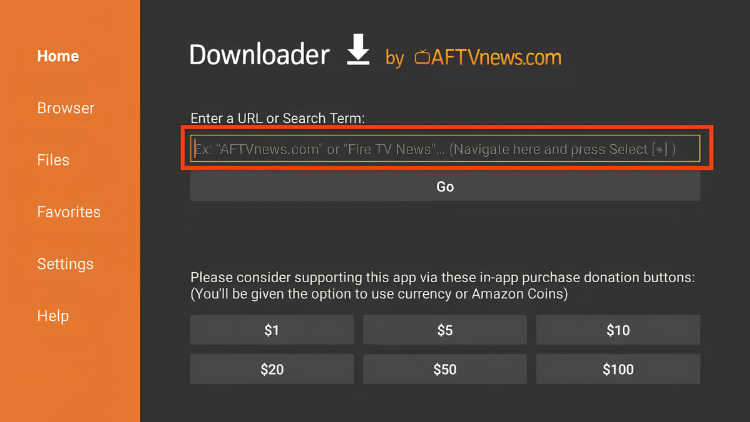
2.Enter code 250931 and click Go
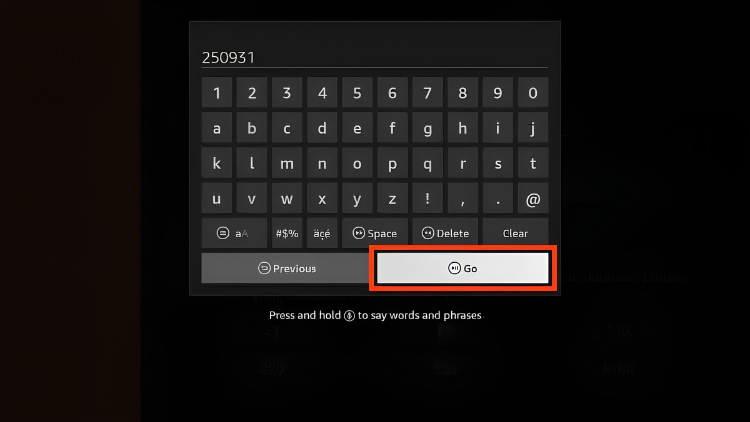
3.Wait for the page to load
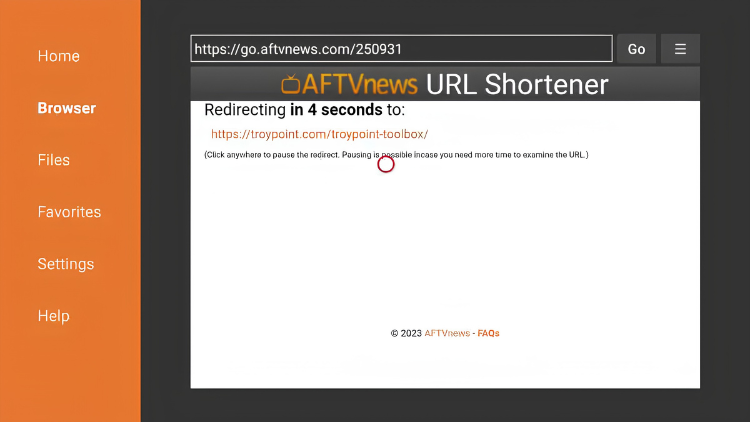
4.TROYPOINT Toolbox home screen appears
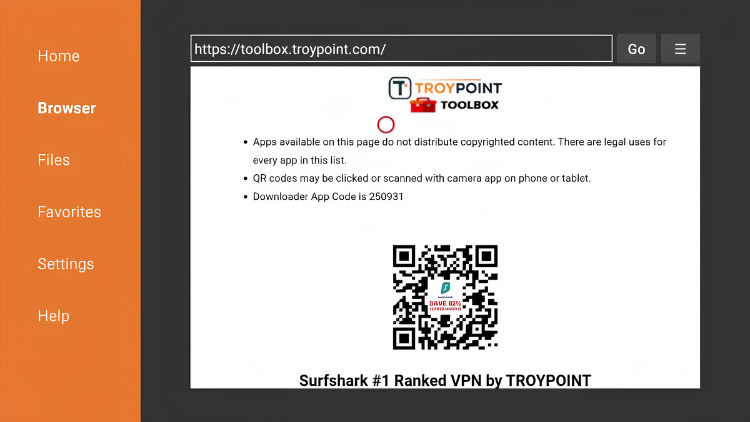
5.Scroll down and select TiviMate
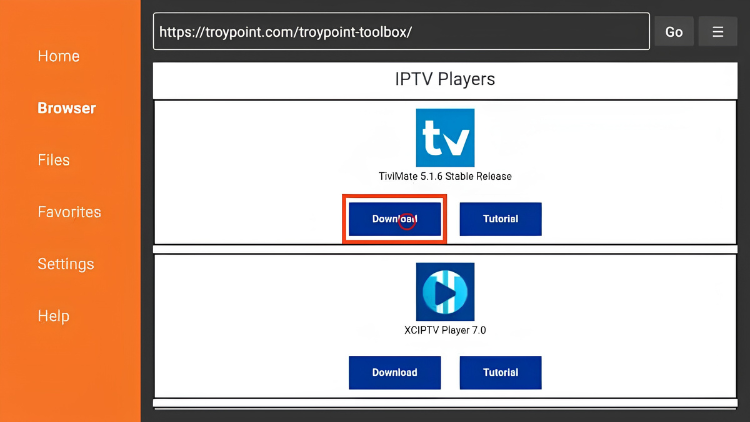
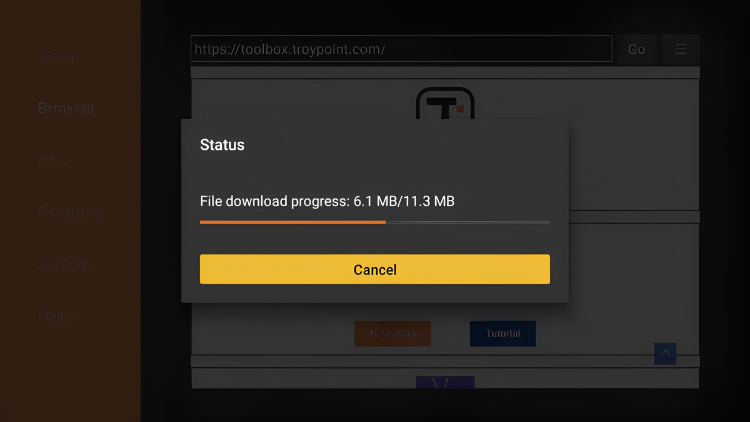
6.Wait for the app to download
7.Click Install
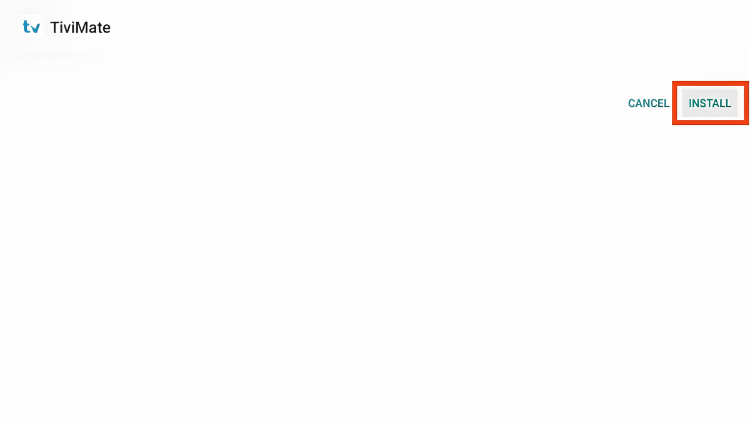
8.TiviMate ready to launch
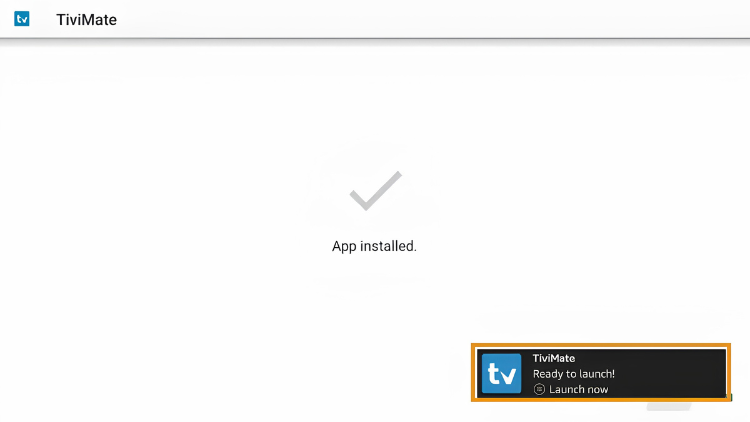
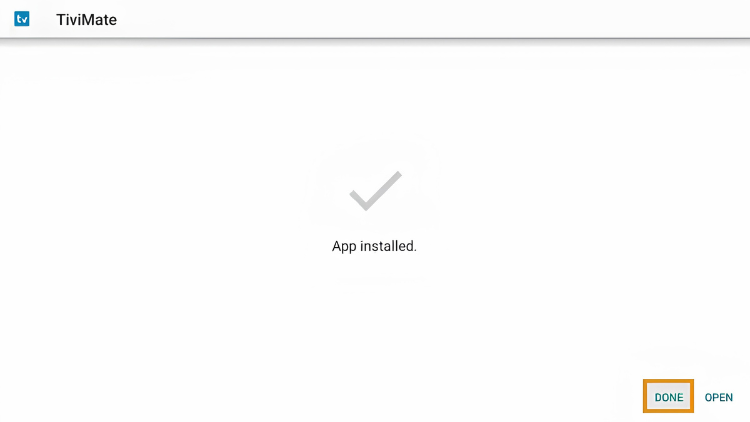
9.Click Done
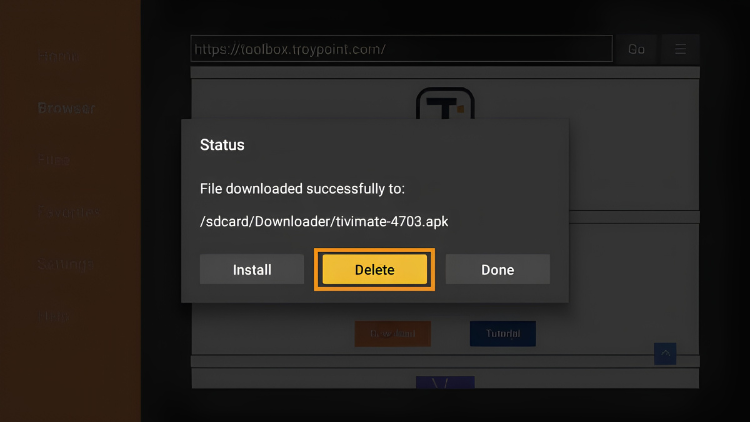
10. Delete to remove the file
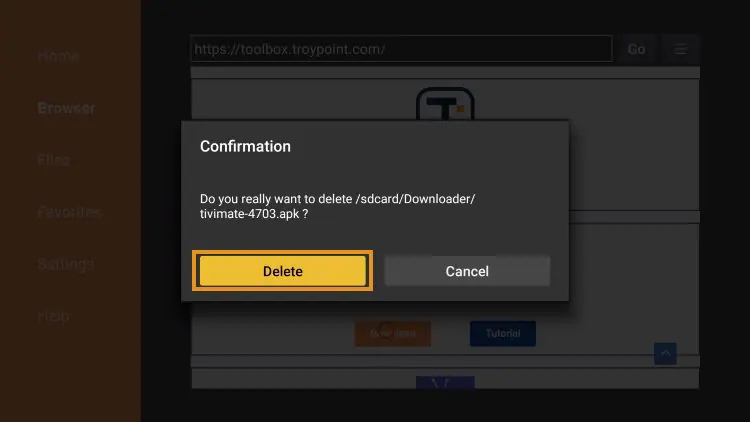
11.Click Delete again to confirm
You can also explore official Fire TV tools here:
How to Set Up Tivimate on Firestick
After installation, you need to configure Tivimate on Firestick:
- Open the app
- Select “Add Playlist”
- Enter your IPTV login details
- Load channels
- Start streaming
This process connects your IPTV service to the Tivimate player.
Tivimate Features
Tivimate offers powerful features that improve your IPTV experience:
- multi-screen support
- advanced channel organization
- favorites list
- EPG integration
These features make Tivimate on Firestick more advanced than most IPTV apps.
Improve Your Tivimate Firestick Experience
To get the best performance from Tivimate Firestick, follow these tips:
- use a stable internet connection (20+ Mbps)
- update the app regularly
- clear cache if needed
- restart your Firestick
For better results, using a reliable IPTV provider like TopIPTVCanada.ca ensures stable streaming and fast channel loading.
Common Tivimate Issues and Fixes
Some users may face issues with Tivimate on Firestick, such as:
Buffering
- check your internet speed
- restart your device
App not loading
- reinstall the app
- update to the latest version
Playlist errors
- verify login details
- reload playlist
Most issues are easy to fix with basic troubleshooting.
Tivimate vs Other IPTV Apps
Compared to other IPTV players, Tivimate on Firestick stands out for its performance and user interface.
While Tivimate offers a modern interface and easy navigation, some users prefer STB Emu for a more advanced IPTV setup with portal support.
You can also explore our guide on the
best IPTV apps to compare different options.
Enter code 250931 and click Go
Benefits of Using Tivimate on Firestick
Using Tivimate on your streaming device offers several advantages compared to other IPTV players. One of the main benefits is the clean and modern interface, which makes navigation easy even for beginners.
Another advantage is the fast channel switching and smooth playback. This improves the overall viewing experience, especially when watching live sports or high-quality content.
In addition, Tivimate supports multiple playlists, allowing users to manage different content sources in one place. This flexibility makes it one of the most reliable options for IPTV streaming.
Tips for Better Streaming Performance
To get the best results from your IPTV setup, it is important to optimize your device and internet connection.
Start by ensuring you have a stable internet speed of at least 20 Mbps. A slow connection can cause buffering and interruptions during playback.
You should also restart your device regularly and clear the app cache to maintain smooth performance. Keeping your apps updated is another important step, as updates often fix bugs and improve stability.
Finally, avoid installing too many apps on your device, as this can slow down performance and affect your streaming experience.
Conclusion
Using Tivimate on Firestick is one of the best ways to improve your IPTV streaming setup. With its advanced features, smooth performance, and easy configuration, Tivimate remains a top choice for IPTV users.
By following this guide and using a reliable IPTV service, you can enjoy a seamless and high-quality streaming experience.