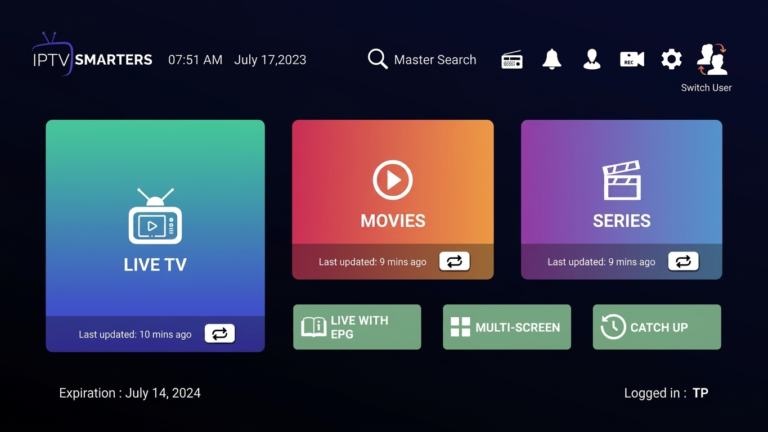
How to Install IPTV Smarters Firestick 2026 Easy Guide
IPTV Smarters Firestick is one of the most popular ways to stream live TV, movies, and sports directly on your device. With a simple interface and fast performance, this app allows users to enjoy high-quality IPTV streaming without complications.
For a better streaming experience, you can use a reliable service like TopIPTVCanada.cawhich offers stable channels and smooth performance.
What is IPTV Smarters Firestick?
IPTV Smarters Firestick refers to installing and using the IPTV Smarters app on an Amazon Fire TV Stick. This application acts as a media player that allows users to access IPTV services using login credentials provided by their IPTV provider.
Unlike traditional TV services, IPTV Smarters gives you full control over what you watch and how you stream content.
Why Use IPTV Smarters on Firestick?
Many users prefer IPTV Smarters Firestick because of its flexibility and ease of use.
Key benefits include:
easy setup process
fast and smooth streaming
support for live TV and VOD
user-friendly interface
This makes it one of the best IPTV apps for beginners and advanced users alike.
How to Install IPTV Smarters on Firestick
Installing IPTV Smarters Firestick requires using a downloader tool since the app is not available directly in the Amazon App Store
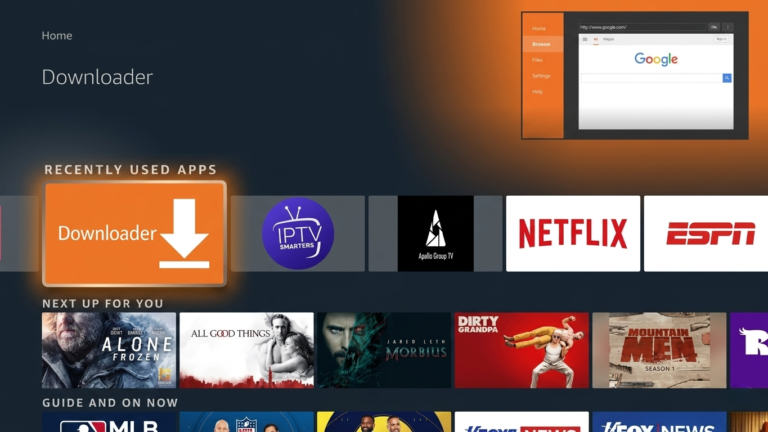
1.Install the Downloader app on your Firestick
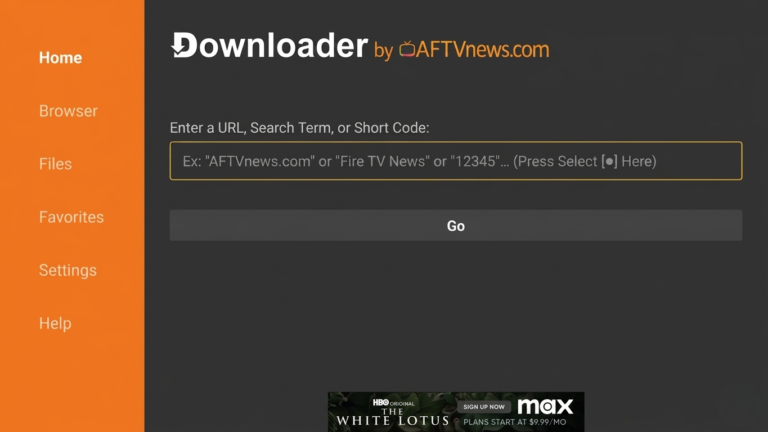
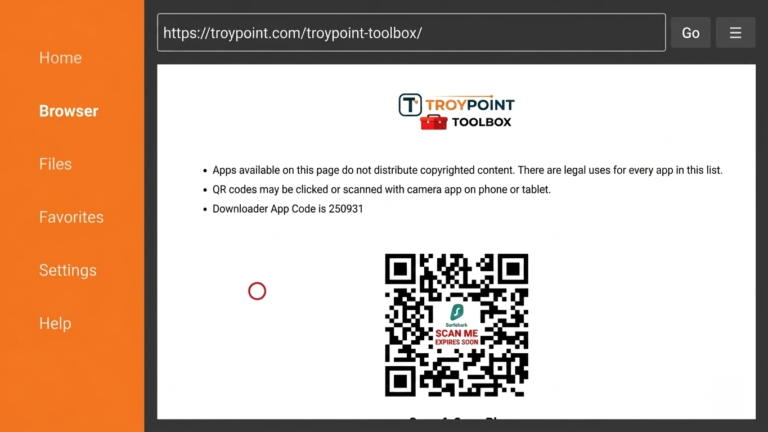
2.Open Downloader and click the URL box to open the keyboard.
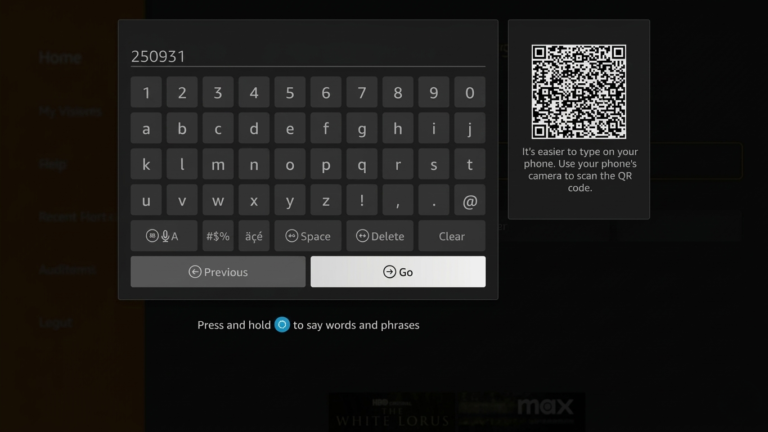
3.Enter 250931 and click Go
4.The TROYPOINT Toolbox home screen will appear
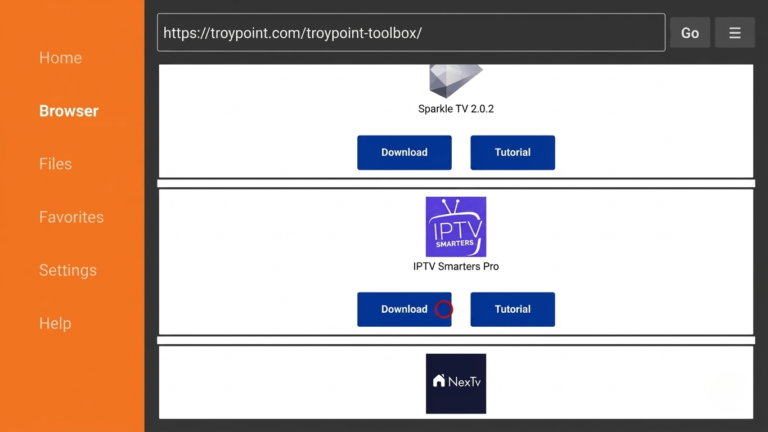
5.Scroll down and select IPTV Smarters Pro
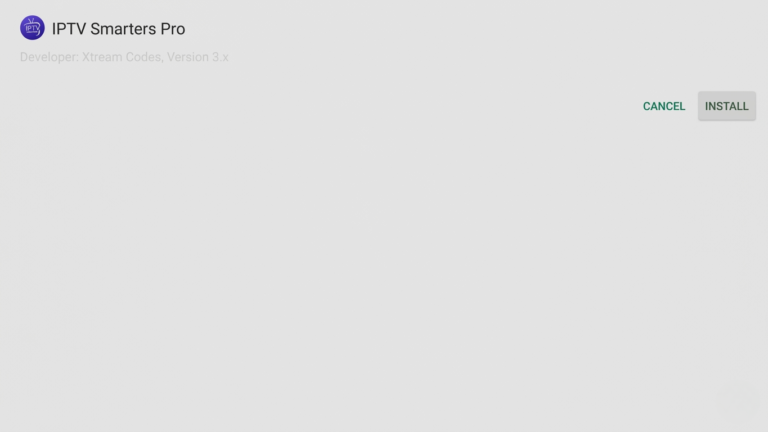
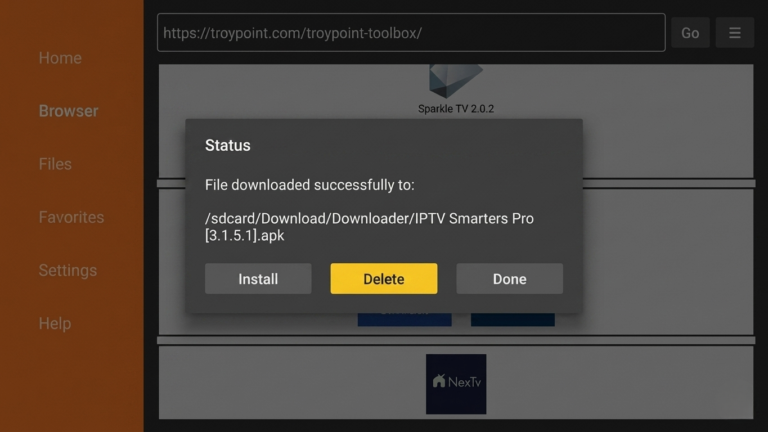
6.Click Download, then Install.
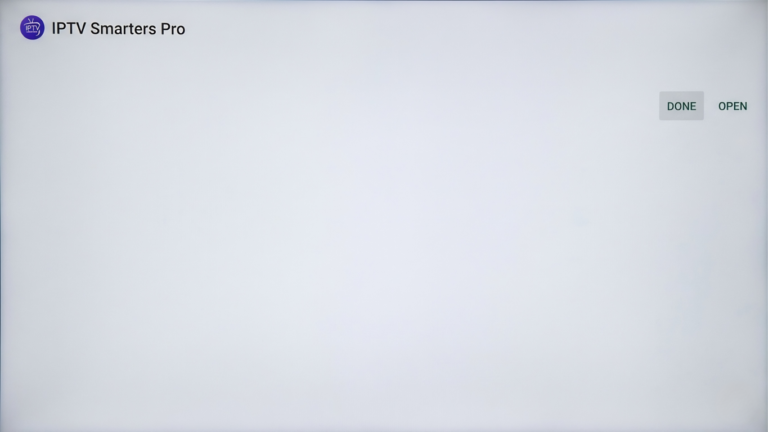
7.Click Done after installation.
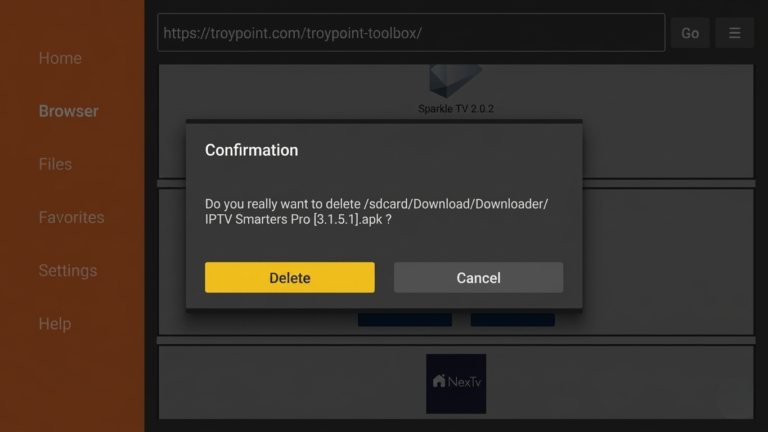
8.Select Delete to remove the installation file.
9.Click Delete again to confirm.
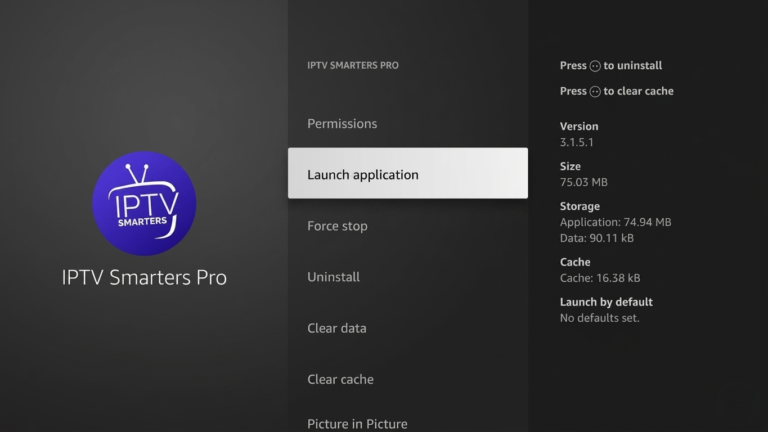
10.Installation is complete. Open IPTV Smarters from your apps list.
After installation, you need to configure IPTV Smarters Firestick to start streaming.
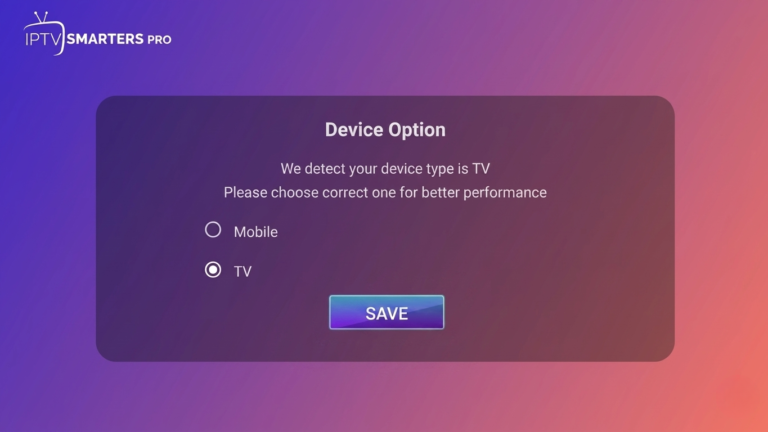
1.After installing, open the app and select your layout.
Choose TV for Firestick or Android TV, then click Save.
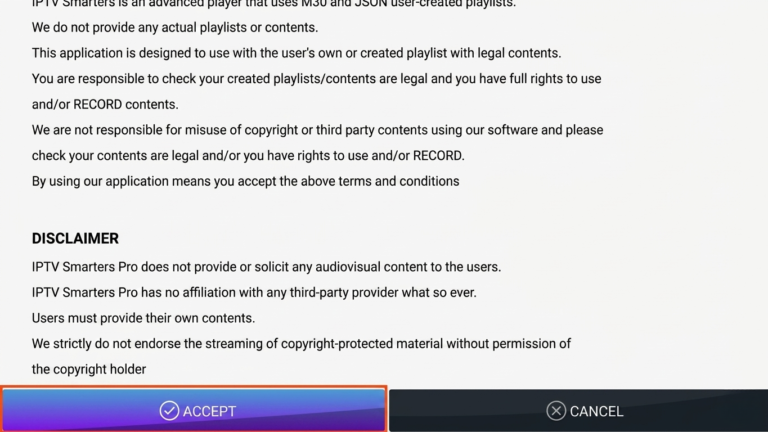
2.Read the announcement and click Accept to continue.
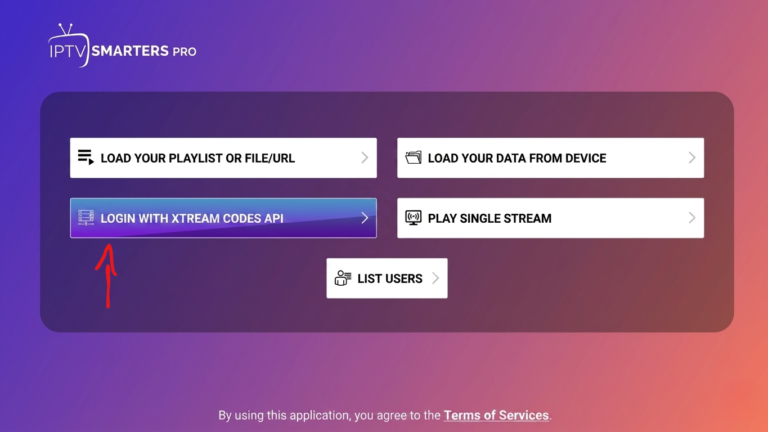
3.Select Login with Xtream Codes API
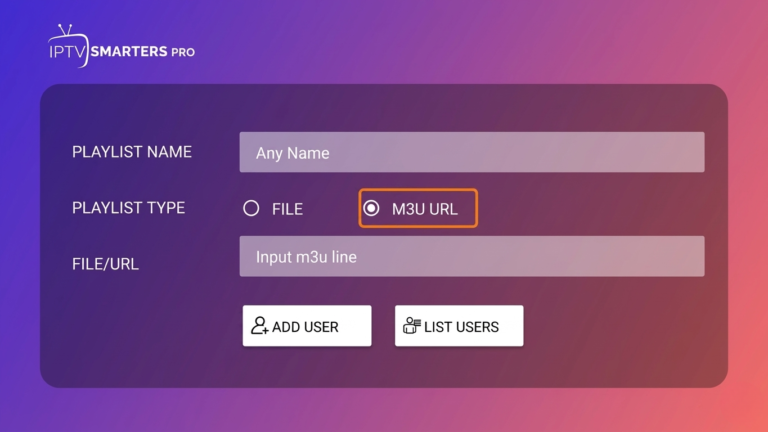
4.Or choose Load Your Playlist / File URL if you use an M3U link.
Enter your username and password in the URL.
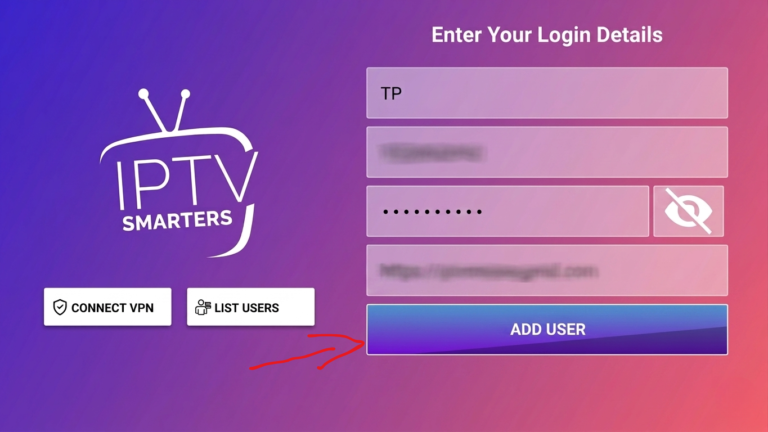
5.We recommend using Xtream Codes since it’s easier.
Enter your account details and click Add User.
6.Wait for the “User added successfully” message.
IPTV Smarters Features
IPTV Smarters Firestick offers powerful features that enhance your viewing experience:
live TV streaming
video-on-demand content
EPG support
multi-screen viewing
These features make IPTV Smarters one of the most reliable IPTV players available today.
Common IPTV Smarters Issues and Fixes
Sometimes users may experience problems with IPTV Smarters Firestick.
App Not Working
restart your Firestick
update the app
Buffering Issues
check your internet speed
use a stable IPTV provider
Login Problems
verify your credentials
reload the app
For more details, you can visit the official Fire TV page.
Tips for Better Streaming
To get the best results with IPTV Smarters Firestick, follow these tips:
use a fast internet connection
clear cache regularly
avoid installing too many apps
restart your device frequently
Using a high-quality IPTV provider will also improve performance and reduce buffering.
Conclusion
IPTV Smarters Firestick is one of the easiest and most effective ways to stream IPTV content on your device. With its simple setup and powerful features, it provides a smooth and enjoyable viewing experience.
By following this guide and using a reliable IPTV service, you can enjoy fast, stable, and high-quality streaming anytime.
FAQ
1. Can I install IPTV Smarters on Firestick?
Yes, you can install IPTV Smarters on Firestick using a downloader tool since it is not available in the Amazon App Store.
2. Is IPTV Smarters free to use?
The app is free to download, but you need an IPTV subscription to access channels and content.
3. Why is IPTV Smarters not working on Firestick?
This may be caused by internet issues, outdated apps, or incorrect login details. Restarting your device often helps.
4. How do I fix buffering on IPTV Smarters?
Use a stable internet connection, restart your Firestick, and ensure your IPTV provider is reliable.
5. Do I need a VPN for IPTV Smarters?
Some users prefer using a VPN for privacy and better streaming performance, depending on their location.