
How to Install STBEmu Firestick 2026 Easy Setup Guide
Setting up stbemu firestick is one of the most effective ways to enjoy a full IPTV experience on your device. STB Emu is a powerful IPTV player that emulates a traditional set-top box, allowing users to stream live TV channels and on-demand content using an internet connection.
In this guide, you will learn how to install and configure stbemu firestick step by step, even if you are a beginner.
What Is STBEmu Firestick?
STB Emu Firestick refers to using the STB Emulator application on your Amazon Fire TV Stick. This app mimics the interface of a real IPTV box, giving you access to channels through a portal-based system.
Unlike simple IPTV players, STB Emu provides more advanced control over your IPTV setup, making it a preferred choice for experienced users.
Why Use STB Emu on Firestick?
Many users choose stbemu firestick because of its flexibility and performance.
Key advantages include:
- support for portal-based IPTV services
- customizable interface
- stable and reliable streaming
- full IPTV box-like experience
These features make STB Emu one of the most powerful IPTV apps available.
How to Install STB Emu on Firestick
If you haven’t installed Downloader yet, follow our Firestick IPTV setup guide to prepare your device.
To install stbemu firestick, follow these steps:
Part 1: Prepare Your FireStick to Download STBEmu Pro
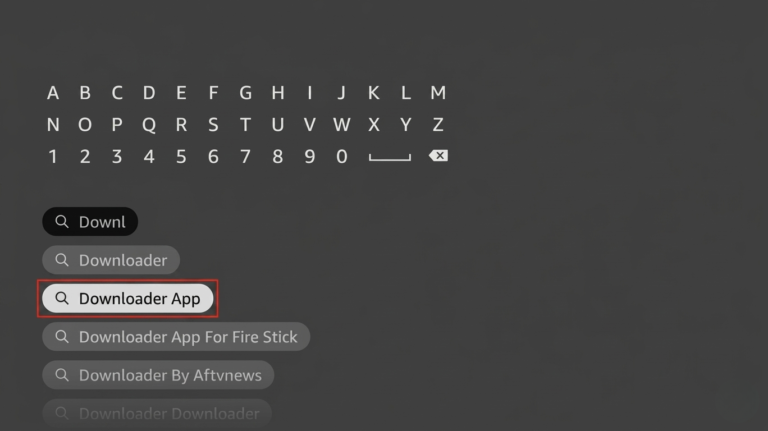
1. Install the Downloader app.
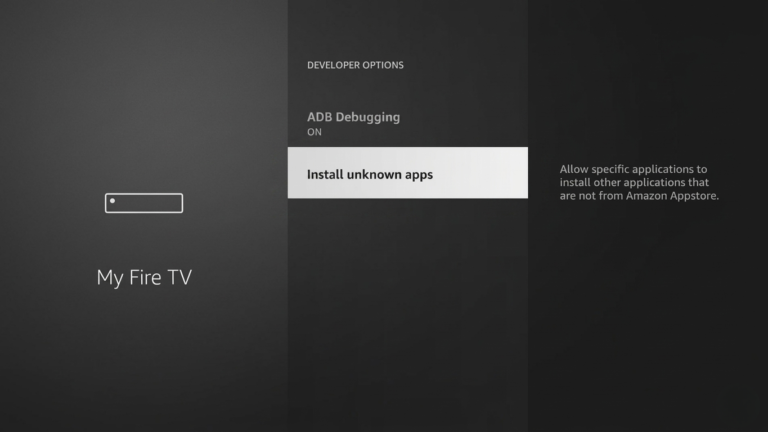
2. Navigate to Settings>My Fire TV>Developer Settings
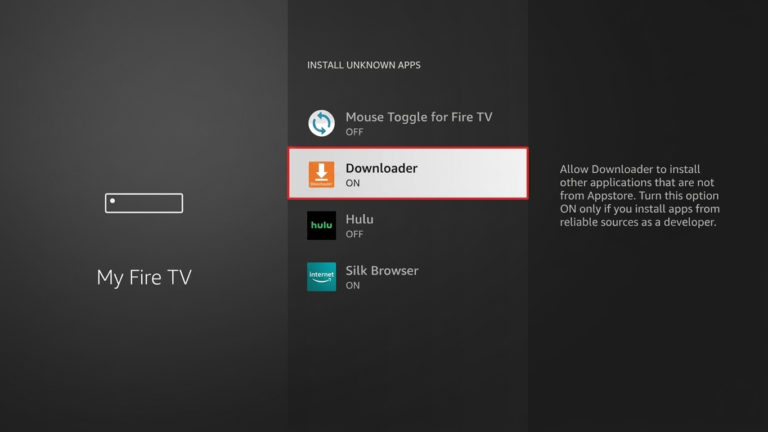
3. Enable Downloader
Part 2: Install STBEmu Pro on Your FireStick
1. On your FireStick home screen, click My Apps.
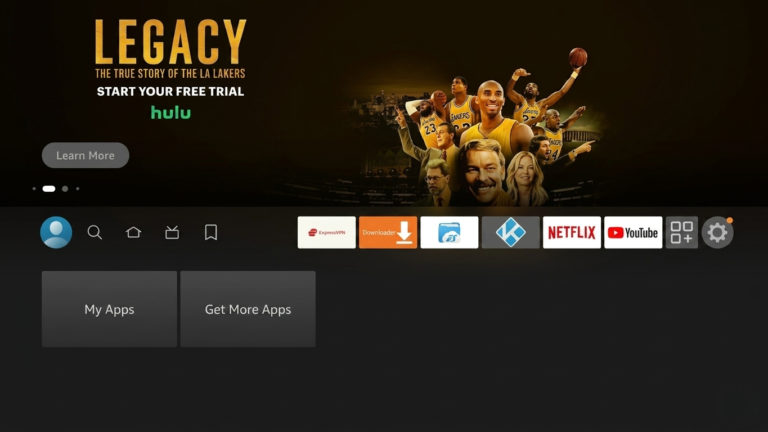
2. Navigate to the Downloader app and click on it.
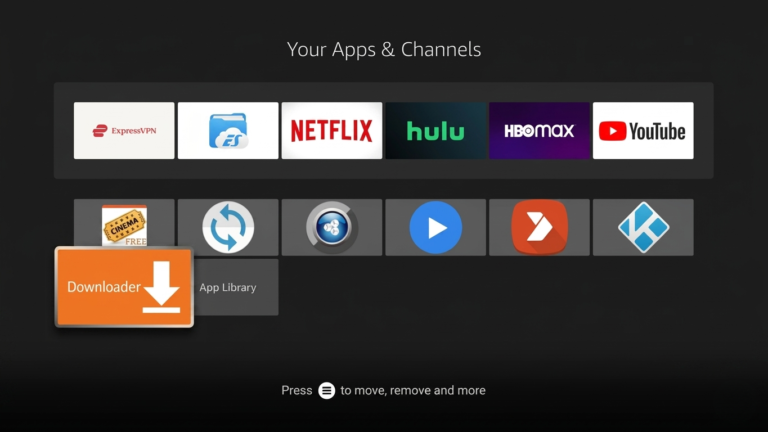
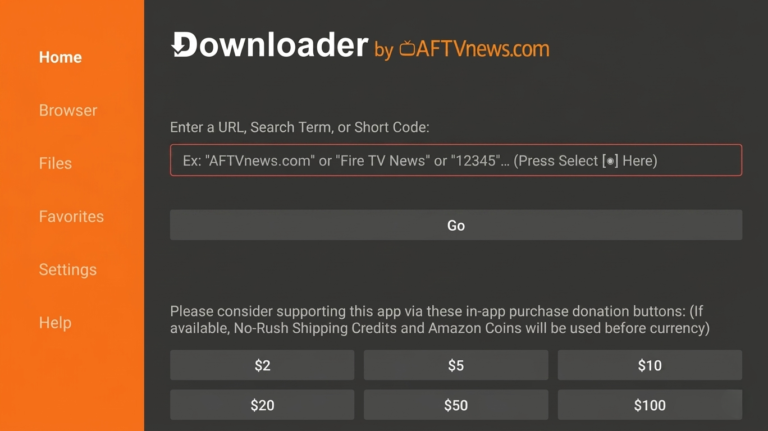
3. Click the URL box.
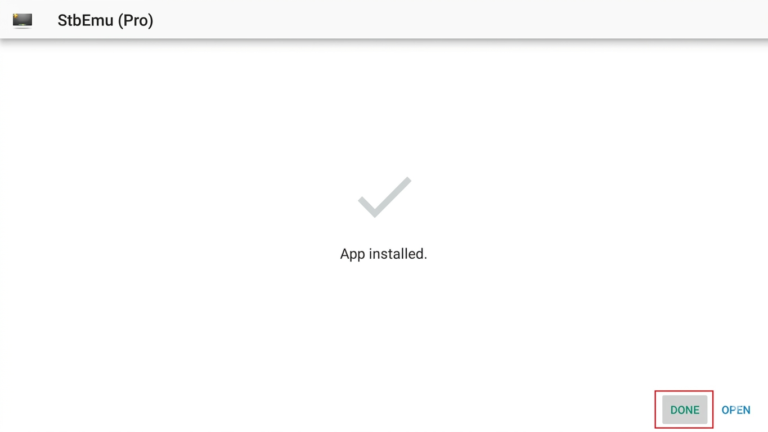
5. Click Install
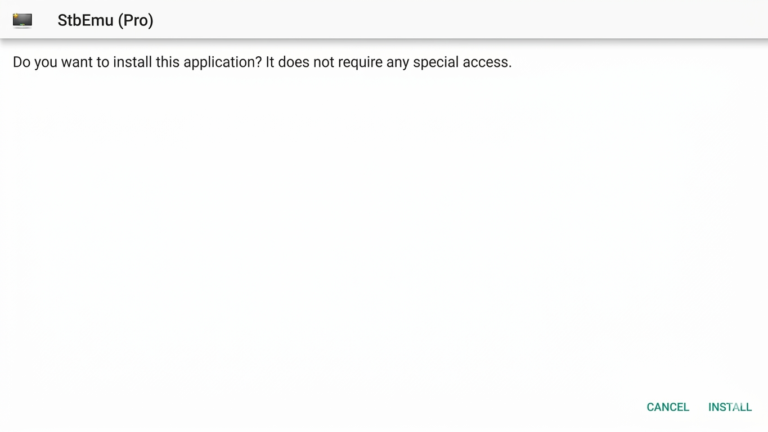
6. Click Done
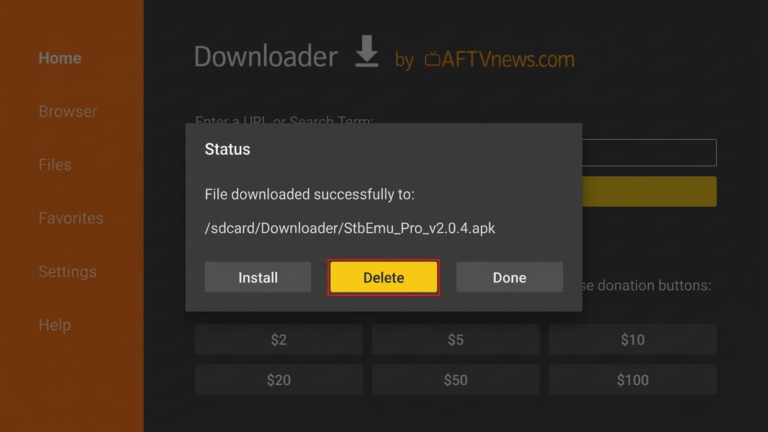
7. Click Delete to remove the APK file from your FireStick.
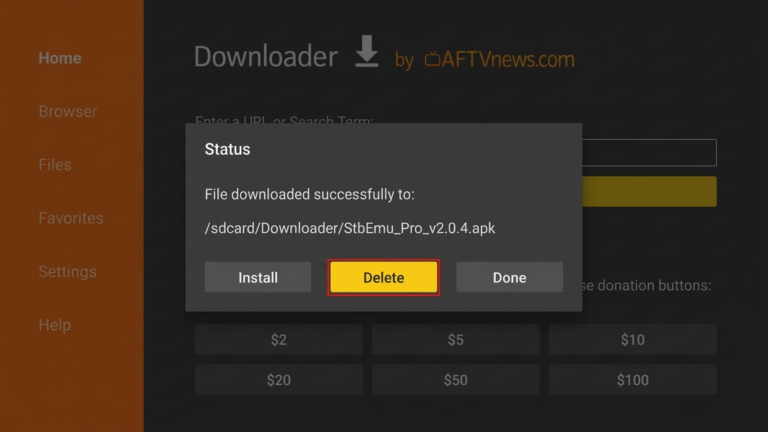
8. Click Delete again to confirm the previous action.
You can explore official Fire TV tools and apps here:
STB Emu Firestick Setup Guide
After installation, you need to configure stbemu firestick:
- Open the STB Emu app
- Click on Settings
- Select Profiles
- Add a new profile
- Enter your IPTV portal URL
- Save your settings
- Restart the app
Once completed, your IPTV channels will load automatically.
STB Emu Features
STB Emu Firestick offers advanced features that improve your IPTV experience:
- portal-based login system
- MAC address configuration
- customizable user interface
- fast channel loading
These features make it more advanced compared to basic IPTV players.
Tips for Better STB Emu Performance
To get the best performance from stbemu firestick, follow these tips:
- use a stable internet connection (20 Mbps or higher)
- restart your Firestick regularly
- keep the app updated
- avoid installing too many background apps
For the best results, combining your setup with a reliable IPTV provider like TopIPTVCanada.ca ensures smooth and stable streaming.
Common STB Emu Issues and Fixes
Some users may experience issues when using stbemu firestick:
Buffering
- check your internet speed
- restart your device
Portal Not Loading
- verify the portal URL
- reload the profile
App Crashing
- clear cache
- reinstall the app
These simple fixes can resolve most common problems.
STB Emu vs Other IPTV Apps
When comparing stbemu firestick to other IPTV apps, it stands out for its advanced setup and customization options.
While apps like Tivimate provide a modern interface, STB Emu offers a more traditional IPTV box experience with deeper configuration options.
You can also use Tivimate for a more modern IPTV experience on Firestick.
You can also explore our guide on the
best IPTV apps to compare different players.
Benefits of Using STB Emu Firestick
Using stbemu firestick provides several benefits for IPTV users. It allows direct connection to IPTV portals, making it ideal for users who want a more advanced and customizable setup.
Another advantage is flexibility. You can manage profiles, configure settings, and personalize your experience based on your needs.
Optimize Your IPTV Experience
To fully optimize your IPTV setup, it’s important to maintain your device and connection.
Ensure your internet speed is stable, keep your Firestick updated, and avoid unnecessary apps running in the background. These steps help your stbemu firestick run smoothly without interruptions.
Conclusion
Setting up stbemu firestick is one of the best ways to enhance your IPTV streaming experience. With its advanced features and flexible configuration, it is ideal for users who want more control over their IPTV setup.
By following this guide and using a reliable IPTV provider, you can enjoy smooth, stable, and high-quality streaming on your Firestick.
FAQ
1. What is STB Emu and how does it work?
STB Emu is an IPTV player that emulates a set-top box interface. It connects to IPTV services using a portal URL and allows users to stream live TV channels and content.
2. Can I install this app on Amazon Fire TV devices?
Yes, the app works on Amazon Fire TV devices including Firestick. You can install it using a downloader tool and complete the setup in a few steps.
3. Do I need a subscription to use IPTV apps?
Yes, you need an active IPTV subscription or portal access to load channels and start streaming content.
4. Why is my streaming buffering or not working properly?
Buffering issues are usually caused by slow internet, server problems, or incorrect settings. Restarting the device or checking the connection often fixes the issue.
5. Is STB Emu suitable for beginners?
This app is more suitable for users with basic technical knowledge, as it requires manual configuration such as entering a portal URL.
6. What is the difference between STB Emu and other IPTV players?
STB Emu focuses on portal-based setups and offers a traditional TV box experience, while other apps may provide simpler interfaces and easier setup options.